



Match a live face to a certified identity
Face Recognition compares a live photo with the faces enrolled in the RDCPASS national digital identity. Use it to confirm a customer is who they say they are, or to identify someone who has lost their documents.
Why businesses choose Face Recognition
Stop impersonation
Knowing someone’s document number is no longer enough. The person has to match the face certified in the national register.
Check who is behind a high-risk request
Before you approve a SIM swap, a cash withdrawal or a new account, confirm the person asking is the account holder.
Serve people who have lost their papers
When no document is available, you can establish who someone is from their face alone.
How it works
Your customer takes a live photo
You send it with a specific reason
RDCPASS checks liveness and compares faces
You get a match or no match
What you receive
Each check returns a result you can audit later:
match
{ "result": "match", "similarity": 0.96, "threshold": 0.85, "liveness": { "checked": true, "passed": true, "score": 0.97 }, "account": { "rdcpass_id": "COD-2103-0214-4937", "status": "active", "certified": true, "created_at": "2025-03-14T09:22:41Z", "level_of_assurance": "LOA3" }, "kyc": { "basic": { "full_name": "Kabeya Mwamba Tshisekedi", "first_name": "Kabeya", "last_name": "Tshisekedi", "date_of_birth": "1988-04-12", "age": 38, "gender": "male", "nationality": "COD" }, … }, "scopes_applied": [ "kyc.basic", "kyc.documents.primary", … ], "purpose": "customer_onboarding", "reason": "Current account opening at Gombe branch, Kinshasa - applicant present at counter 3, ticket KIN-GOM-2026-004812", …}no_match
{ "result": "no_match", "similarity": 0.41, "threshold": 0.85, "liveness": { "checked": true, "passed": true, "score": 0.95 }, "scopes_applied": [], "purpose": "customer_onboarding", "reason": "Mobile money wallet upgrade to tier 2 - selfie captured in app, session KIN-APP-88213", …}Contract to be confirmed by the API team.
Reference example- The verdict: match or no match
- A similarity score and the strictness level applied
- The outcome of the liveness check
- On a match, the RDCPASS account and basic KYC, plus any additional data scopes your application is approved for
- Your declared purpose and reason, as recorded in the audit trail
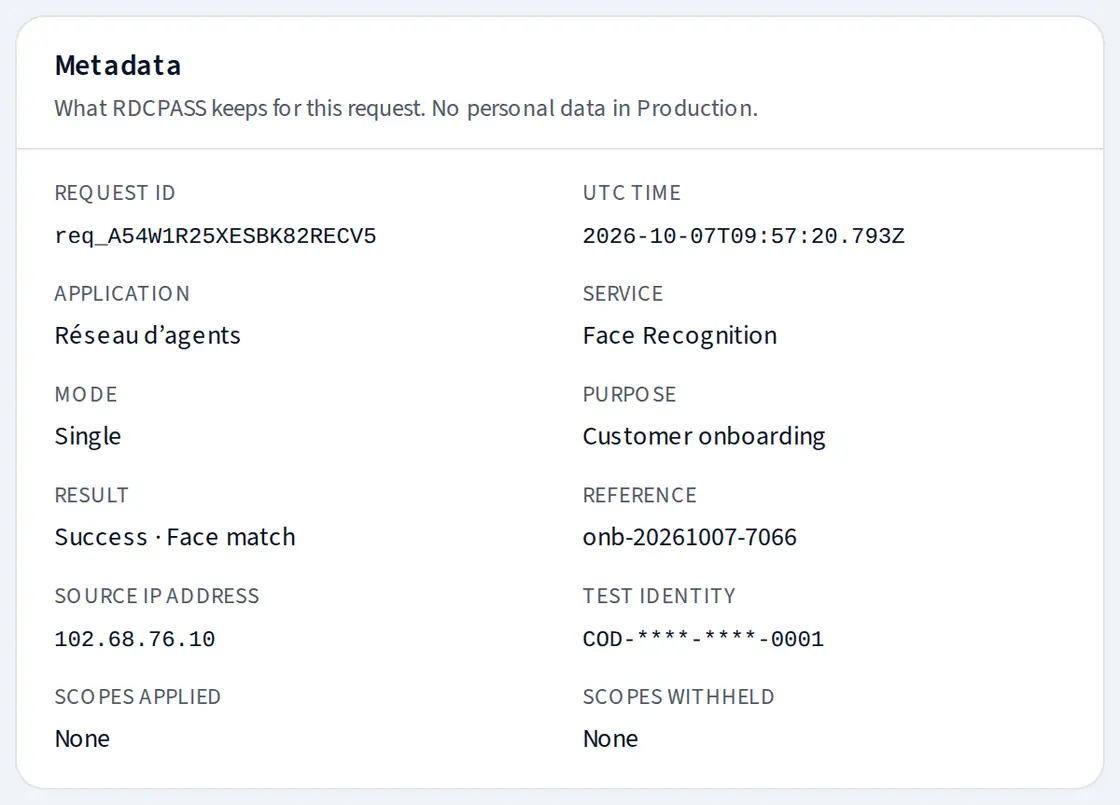
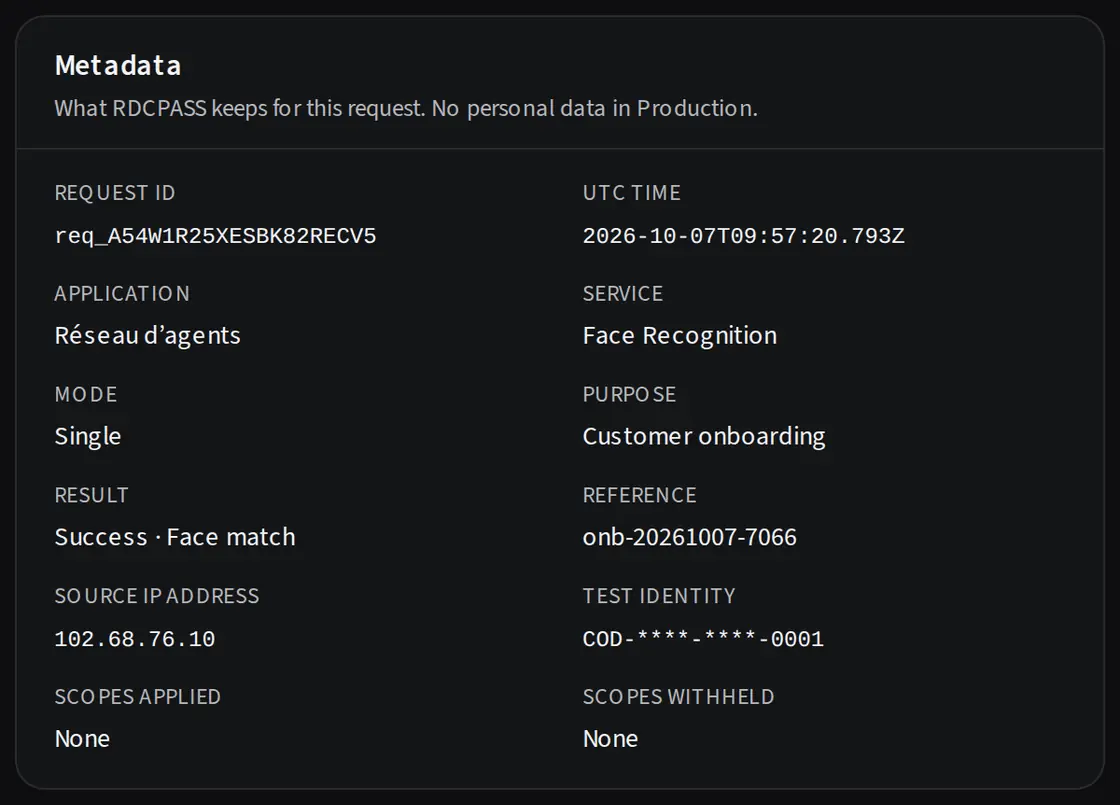
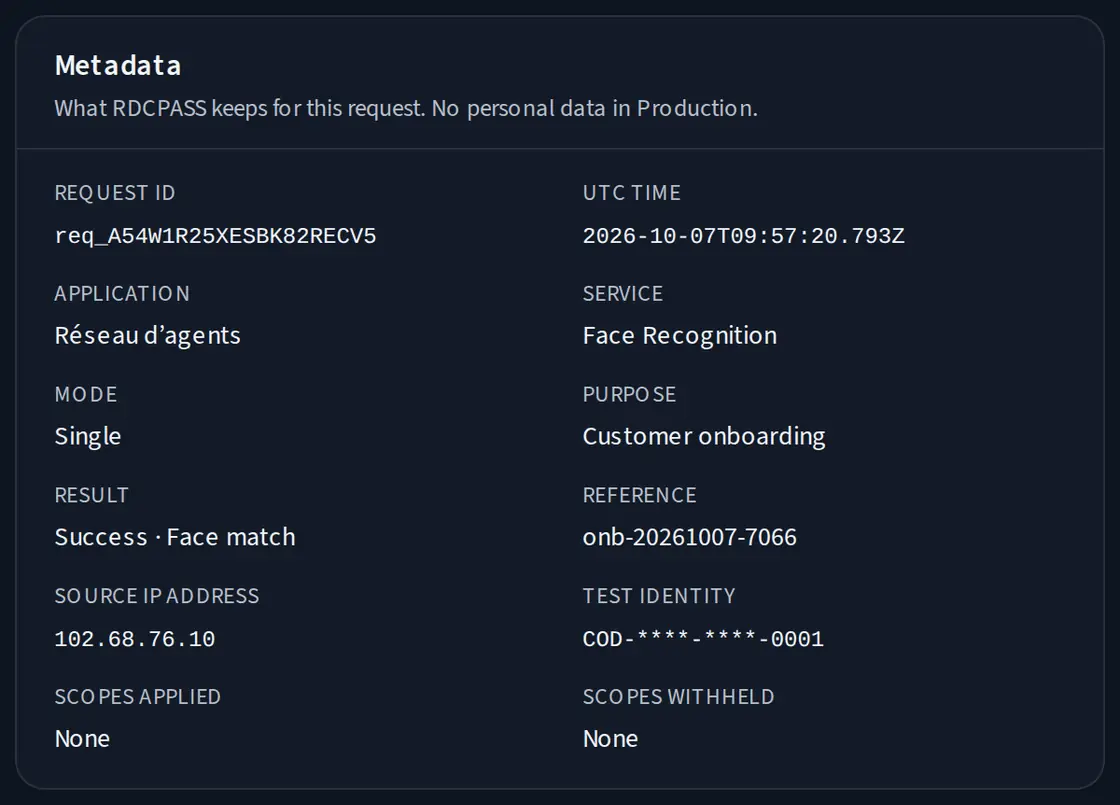
In the console
A test recognition in the console log.
One integration for test and production
cURL
# Plaintext body shown for readability - encrypt and sign it as described in /docs/authentication before sending.
IMAGE_B64=$(base64 < selfie.jpg | tr -d '\n')

curl https://api.rdcpass.cd/v1/face/recognitions \
  -X POST \
  -H "X-RDCPASS-Key-Id: key_live_8f2a1c0e9b" \
  -H "X-RDCPASS-Timestamp: 1735689600" \
  -H "X-RDCPASS-Nonce: 2d7e4b1a-9c3f-4a58-b6e2-7f0c1d9a3e55" \
  -H "X-RDCPASS-IV: q3Jx8mT2vLp9Wc1R" \
  -H "X-RDCPASS-Signature: 8b4e1f...c93a" \
  -H "Content-Type: application/json" \
  -d '{
    "image": { "data": "'"$IMAGE_B64"'" },
    "identifier": { "type": "rdcpass_id", "value": "COD-2103-0214-4937" },
    "liveness": "passive",
    "threshold": 0.85,
    "reason": "Current account opening at Gombe branch, Kinshasa - applicant present at counter 3, ticket KIN-GOM-2026-004812",
    "purpose": "customer_onboarding",
    "reference": "cust-0001"
  }'
Node.js
import { readFile } from 'node:fs/promises'

const image = await readFile('selfie.jpg')

// Plaintext body shown for readability - encrypt and sign it as described in /docs/authentication before sending.
const body = {
  image: { data: image.toString('base64') },
  identifier: { type: 'rdcpass_id', value: 'COD-2103-0214-4937' },
  liveness: 'passive',
  threshold: 0.85,
  reason: 'Current account opening at Gombe branch, Kinshasa - applicant present at counter 3, ticket KIN-GOM-2026-004812',
  purpose: 'customer_onboarding',
  reference: 'cust-0001',
}

const res = await fetch('https://api.rdcpass.cd/v1/face/recognitions', {
  method: 'POST',
  headers: {
    'X-RDCPASS-Key-Id': 'key_live_8f2a1c0e9b',
    'X-RDCPASS-Timestamp': '1735689600',
    'X-RDCPASS-Nonce': '2d7e4b1a-9c3f-4a58-b6e2-7f0c1d9a3e55',
    'X-RDCPASS-IV': 'q3Jx8mT2vLp9Wc1R',
    'X-RDCPASS-Signature': '8b4e1f...c93a',
    'Content-Type': 'application/json',
  },
  body: JSON.stringify(body),
})

const result = await res.json()
if (result.result === 'match') {
  console.log(result.similarity, result.kyc.basic.full_name)
}
Python
import base64

import requests

with open("selfie.jpg", "rb") as f:
    image_b64 = base64.b64encode(f.read()).decode("ascii")

# Plaintext body shown for readability - encrypt and sign it as described in /docs/authentication before sending.
body = {
    "image": {"data": image_b64},
    "identifier": {"type": "rdcpass_id", "value": "COD-2103-0214-4937"},
    "liveness": "passive",
    "threshold": 0.85,
    "reason": "Current account opening at Gombe branch, Kinshasa - applicant present at counter 3, ticket KIN-GOM-2026-004812",
    "purpose": "customer_onboarding",
    "reference": "cust-0001",
}

response = requests.post(
    "https://api.rdcpass.cd/v1/face/recognitions",
    headers={
        "X-RDCPASS-Key-Id": "key_live_8f2a1c0e9b",
        "X-RDCPASS-Timestamp": "1735689600",
        "X-RDCPASS-Nonce": "2d7e4b1a-9c3f-4a58-b6e2-7f0c1d9a3e55",
        "X-RDCPASS-IV": "q3Jx8mT2vLp9Wc1R",
        "X-RDCPASS-Signature": "8b4e1f...c93a",
        "Content-Type": "application/json",
    },
    json=body,
)

result = response.json()
if result["result"] == "match":
    print(result["similarity"], result["kyc"]["basic"]["full_name"])
Go
package main

import (
	"bytes"
	"encoding/base64"
	"encoding/json"
	"fmt"
	"net/http"
	"os"
)

func main() {
	image, err := os.ReadFile("selfie.jpg")
	if err != nil {
		panic(err)
	}

	// Plaintext body shown for readability - encrypt and sign it as described in /docs/authentication before sending.
	body, _ := json.Marshal(map[string]any{
		"image":      map[string]string{"data": base64.StdEncoding.EncodeToString(image)},
		"identifier": map[string]string{"type": "rdcpass_id", "value": "COD-2103-0214-4937"},
		"liveness":   "passive",
		"threshold":  0.85,
		"reason":     "Current account opening at Gombe branch, Kinshasa - applicant present at counter 3, ticket KIN-GOM-2026-004812",
		"purpose":    "customer_onboarding",
		"reference":  "cust-0001",
	})

	req, _ := http.NewRequest("POST", "https://api.rdcpass.cd/v1/face/recognitions", bytes.NewBuffer(body))
	req.Header.Set("X-RDCPASS-Key-Id", "key_live_8f2a1c0e9b")
	req.Header.Set("X-RDCPASS-Timestamp", "1735689600")
	req.Header.Set("X-RDCPASS-Nonce", "2d7e4b1a-9c3f-4a58-b6e2-7f0c1d9a3e55")
	req.Header.Set("X-RDCPASS-IV", "q3Jx8mT2vLp9Wc1R")
	req.Header.Set("X-RDCPASS-Signature", "8b4e1f...c93a")
	req.Header.Set("Content-Type", "application/json")

	resp, err := http.DefaultClient.Do(req)
	if err != nil {
		panic(err)
	}
	defer resp.Body.Close()

	var result struct {
		Result     string  `json:"result"`
		Similarity float64 `json:"similarity"`
	}
	if err := json.NewDecoder(resp.Body).Decode(&result); err != nil {
		panic(err)
	}
	fmt.Println(result.Result, result.Similarity) // match 0.96
}
Java
import java.net.URI;
import java.net.http.HttpClient;
import java.net.http.HttpRequest;
import java.net.http.HttpResponse;
import java.nio.file.Files;
import java.nio.file.Path;
import java.util.Base64;

public class VerifyFace {
    public static void main(String[] args) throws Exception {
        String imageB64 = Base64.getEncoder().encodeToString(Files.readAllBytes(Path.of("selfie.jpg")));

        // Plaintext body shown for readability - encrypt and sign it as described in /docs/authentication before sending.
        String body = """
            {
              "image": { "data": "%s" },
              "identifier": { "type": "rdcpass_id", "value": "COD-2103-0214-4937" },
              "liveness": "passive",
              "threshold": 0.85,
              "reason": "Current account opening at Gombe branch, Kinshasa - applicant present at counter 3, ticket KIN-GOM-2026-004812",
              "purpose": "customer_onboarding",
              "reference": "cust-0001"
            }""".formatted(imageB64);

        HttpRequest request = HttpRequest.newBuilder()
            .uri(URI.create("https://api.rdcpass.cd/v1/face/recognitions"))
            .header("X-RDCPASS-Key-Id", "key_live_8f2a1c0e9b")
            .header("X-RDCPASS-Timestamp", "1735689600")
            .header("X-RDCPASS-Nonce", "2d7e4b1a-9c3f-4a58-b6e2-7f0c1d9a3e55")
            .header("X-RDCPASS-IV", "q3Jx8mT2vLp9Wc1R")
            .header("X-RDCPASS-Signature", "8b4e1f...c93a")
            .header("Content-Type", "application/json")
            .POST(HttpRequest.BodyPublishers.ofString(body))
            .build();

        HttpResponse<String> response = HttpClient.newHttpClient()
            .send(request, HttpResponse.BodyHandlers.ofString());
        System.out.println(response.body());
    }
}
Rust
use base64::{engine::general_purpose::STANDARD, Engine as _};
use serde_json::json;

#[tokio::main]
async fn main() -> Result<(), Box<dyn std::error::Error>> {
    let image = std::fs::read("selfie.jpg")?;

    // Plaintext body shown for readability - encrypt and sign it as described in /docs/authentication before sending.
    let body = json!({
        "image": { "data": STANDARD.encode(&image) },
        "identifier": { "type": "rdcpass_id", "value": "COD-2103-0214-4937" },
        "liveness": "passive",
        "threshold": 0.85,
        "reason": "Current account opening at Gombe branch, Kinshasa - applicant present at counter 3, ticket KIN-GOM-2026-004812",
        "purpose": "customer_onboarding",
        "reference": "cust-0001"
    });

    let result: serde_json::Value = reqwest::Client::new()
        .post("https://api.rdcpass.cd/v1/face/recognitions")
        .header("X-RDCPASS-Key-Id", "key_live_8f2a1c0e9b")
        .header("X-RDCPASS-Timestamp", "1735689600")
        .header("X-RDCPASS-Nonce", "2d7e4b1a-9c3f-4a58-b6e2-7f0c1d9a3e55")
        .header("X-RDCPASS-IV", "q3Jx8mT2vLp9Wc1R")
        .header("X-RDCPASS-Signature", "8b4e1f...c93a")
        .json(&body)
        .send()
        .await?
        .json()
        .await?;

    println!("{} {}", result["result"], result["similarity"]);
    Ok(())
}
PHP
<?php

// Plaintext body shown for readability - encrypt and sign it as described in /docs/authentication before sending.
$body = json_encode([
    'image' => ['data' => base64_encode(file_get_contents('selfie.jpg'))],
    'identifier' => ['type' => 'rdcpass_id', 'value' => 'COD-2103-0214-4937'],
    'liveness' => 'passive',
    'threshold' => 0.85,
    'reason' => 'Current account opening at Gombe branch, Kinshasa - applicant present at counter 3, ticket KIN-GOM-2026-004812',
    'purpose' => 'customer_onboarding',
    'reference' => 'cust-0001',
]);

$ch = curl_init('https://api.rdcpass.cd/v1/face/recognitions');
curl_setopt_array($ch, [
    CURLOPT_POST => true,
    CURLOPT_POSTFIELDS => $body,
    CURLOPT_HTTPHEADER => [
        'X-RDCPASS-Key-Id: key_live_8f2a1c0e9b',
        'X-RDCPASS-Timestamp: 1735689600',
        'X-RDCPASS-Nonce: 2d7e4b1a-9c3f-4a58-b6e2-7f0c1d9a3e55',
        'X-RDCPASS-IV: q3Jx8mT2vLp9Wc1R',
        'X-RDCPASS-Signature: 8b4e1f...c93a',
        'Content-Type: application/json',
    ],
    CURLOPT_RETURNTRANSFER => true,
]);

$response = curl_exec($ch);
curl_close($ch);

$result = json_decode($response, true);
echo $result['result'] . ' ' . $result['similarity']; // match 0.96
C#
using System.Net.Http.Json;
using System.Text.Json;

var client = new HttpClient();
var imageB64 = Convert.ToBase64String(await File.ReadAllBytesAsync("selfie.jpg"));

// Plaintext body shown for readability - encrypt and sign it as described in /docs/authentication before sending.
var request = new HttpRequestMessage(HttpMethod.Post, "https://api.rdcpass.cd/v1/face/recognitions")
{
    Content = JsonContent.Create(new
    {
        image = new { data = imageB64 },
        identifier = new { type = "rdcpass_id", value = "COD-2103-0214-4937" },
        liveness = "passive",
        threshold = 0.85,
        reason = "Current account opening at Gombe branch, Kinshasa - applicant present at counter 3, ticket KIN-GOM-2026-004812",
        purpose = "customer_onboarding",
        reference = "cust-0001",
    }),
};
request.Headers.Add("X-RDCPASS-Key-Id", "key_live_8f2a1c0e9b");
request.Headers.Add("X-RDCPASS-Timestamp", "1735689600");
request.Headers.Add("X-RDCPASS-Nonce", "2d7e4b1a-9c3f-4a58-b6e2-7f0c1d9a3e55");
request.Headers.Add("X-RDCPASS-IV", "q3Jx8mT2vLp9Wc1R");
request.Headers.Add("X-RDCPASS-Signature", "8b4e1f...c93a");

var response = await client.SendAsync(request);
var result = await response.Content.ReadFromJsonAsync<JsonElement>();
var verdict = result.GetProperty("result").GetString();
var similarity = result.GetProperty("similarity").GetDouble();
Console.WriteLine($"{verdict} {similarity}"); // match 0.96
Contract to be confirmed by the API team.
Trust & privacy
A no match never reveals a candidate. Identification is reserved for cases where there is no claimed identity.
- mTLS
- HMAC-SHA256
- AES-256-GCM
- Audit log
Where it’s used
- Banking & financial services
Open accounts remotely, and approve high-value transactions only when the customer’s face matches.
- Telecommunications
Approve a SIM swap only once you have confirmed the subscriber is physically present.
- Fintech & mobile money
Protect cash-out at agents, and add step-up authentication to mobile money wallets.
- Health & medical
Identify an unconscious patient, or a beneficiary who has lost their documents.